
01
Income and outgoings.
One view.
Track recorded income, expenses and scheduled payments in the same budget period. Keep cash already held separate from income you still expect.
PERSONAL FINANCE, WITH A CLEARER VIEW
Everyday spending, upcoming bills and expected income. Keep the pieces of your financial life together.
Designed for iPhone, iPad and Mac. Check your App Store listing for device and country availability.
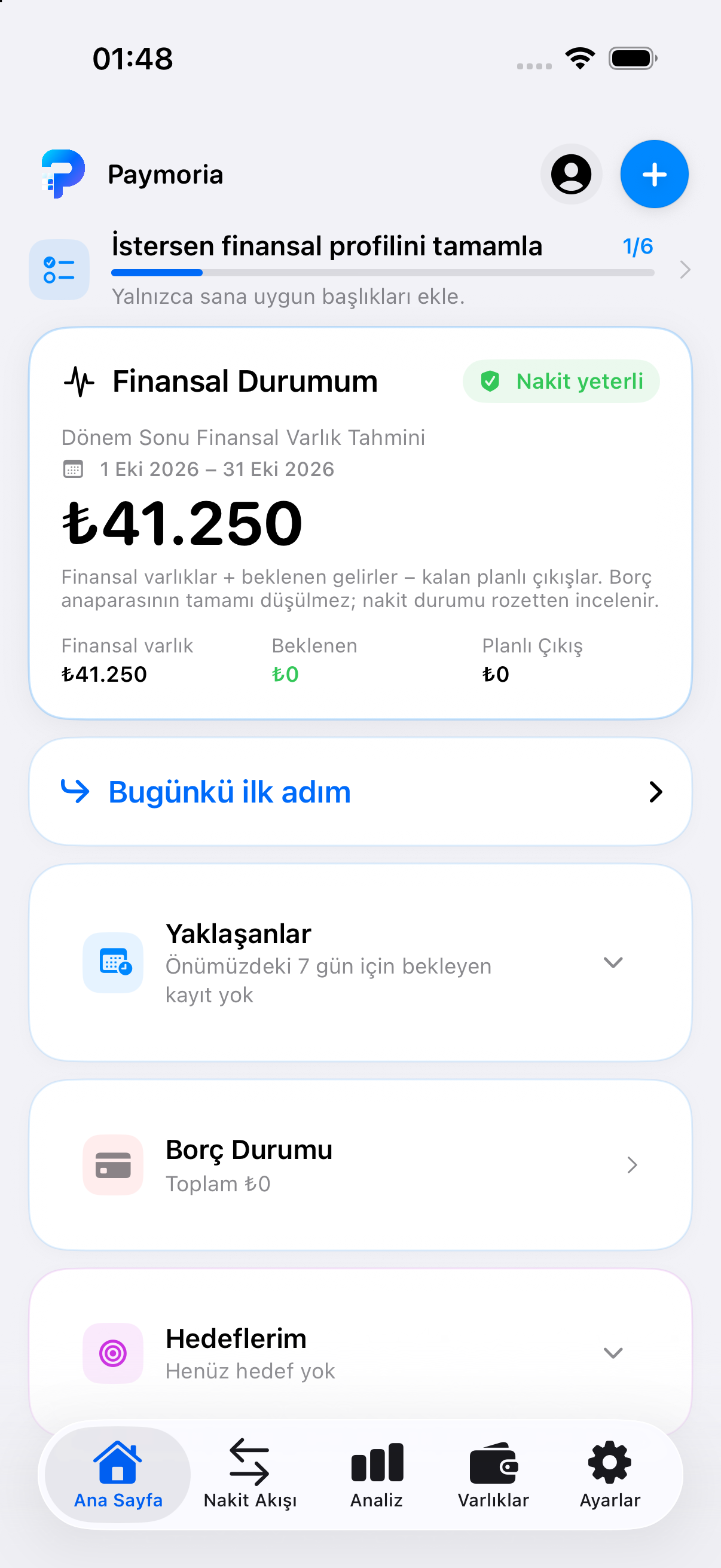 Today’s activity. The month ahead.
LESS CLUTTER. MORE CLARITY.
From a daily purchase to a longer-term goal.
Your records, brought into a clearer picture.
Track recorded income, expenses and scheduled payments in the same budget period. Keep cash already held separate from income you still expect.
Keep balances, credit limits and due dates together. Currency and contract terms remain explicit; country-specific calculations are available only where supported.
Record cash, investments, property and other assets. Distinguish their recorded value from money available for everyday payments.
PAYMORIA FAMILY
Invite one person to a shared finance space for expenses, accounts, debts and goals. Keep your personal records in your own space.
Explore Family ↗START WITH SMALL STEPS
Record the accounts, cards and assets you want to track.
Add income and expenses. Categories and frequently used expenses make entry easier.
Review upcoming payments and conditional period-end calculations based on your records.
UNDERSTAND YOUR RECORDS
Available reports explain the records you provide. AI features require separate sharing permission and are subject to regional availability. When the App Store service region is unsupported or unconfirmed, reports provide neutral information without an AI model or an AI allowance charge.
No personal debt strategy, local tax rate, minimum-payment rule or bank rate is assumed for an unsupported country. This is a planning tool, not a bank or professional adviser.
YOUR CHOICES STAY YOURS
Reports use the financial information you enter.
Supported AI features send a financial summary through Cloudflare to OpenAI only with permission.
Reports do not execute payments or change your records automatically.
Sharing permission can be withdrawn in Settings.
PAYMORIA, FOR YOUR NEEDS
There is no ongoing free plan. If your Apple account is eligible and the offer is active for your selected plan, you may start a 7-day free trial by confirming in Apple’s purchase sheet. The price and renewal period are shown before confirmation. Unless canceled, the selected plan renews automatically at that price.
PRO
Paid subscription. The current price and renewal period appear in the app and Apple’s confirmation before purchase.
Renews automatically unless canceled. Features vary by region.
FAMILY
Paid subscription. The current price and renewal period appear in the app and Apple’s confirmation before purchase.
Renews automatically unless canceled. Features vary by region.
During the entire free trial, there are 10 new AI reports or coach replies in total. A Family trial shares those same 10 between its two members. Reopening an existing report does not use an allowance. Paid Pro includes 15 new replies per month; paid Family shares 30 per month. Daily and technical limits also apply.
Family means the owner and one invited member; the invited member’s personal Pro access is separate. Prices and offers depend on your Apple account and storefront. See the Terms of Use.
There is no ongoing free plan. If your Apple account is eligible and the offer is active for your selected plan, you may start a 7-day free trial by confirming in Apple’s purchase sheet. The price and renewal period are shown before confirmation. Unless canceled, the selected plan renews automatically at that price.
No. Paymoria does not ask for a bank password, import bank transactions automatically or make payments for you. You enter the financial records you want to track.
No. Expiry does not delete existing records. A verified subscription is required to use personal finance screens and create or edit records. Restoring purchases, managing subscriptions, reading saved reports and legal documents, and deleting the account remain available.
The owner and one invited person use the shared workspace. The owner has personal Pro access; the invited person’s personal Pro access is separate. iCloud is required for the shared space.
Only after sharing permission, a supported feature sends its bounded financial summary through Cloudflare to OpenAI. A neutral unsupported-region report does not call OpenAI, but its summary still reaches Paymoria’s server. See the Privacy Policy for details.
Manage or cancel the subscription in your Apple account. Delete your account and data from Settings in the app. Deleting the account does not cancel an Apple subscription; cancel that separately with Apple.
Review availability, current prices and offers on your App Store listing.
View on the App Store ↗